Account Audits
Paid search bidding and budget controls
Connect Google Ads Search bidding and budgets to business limits, then check delivery constraints and mature outcomes before changing spend.
Set the business’s commercial spending boundary, choose a Google Ads Search bidding goal tied to a useful outcome, then check what limits delivery. Google Ads Search uses an average daily budget and bidding strategies, but neither setting proves the resulting customers are profitable.
Set the business boundary
Estimate the contribution an additional customer or order leaves after the variable costs included in the business’s calculation. Decide how much of that contribution can fund acquisition. For a lead campaign, multiply the allowable acquisition amount per new customer by the observed share of accepted enquiries that become customers to estimate an allowable cost per accepted enquiry; keep the allowance provisional if that share is unreliable.
Set a separate cash and capacity limit for the period. Include agency fees and other campaign costs on a consistent accounting basis, and make explicit whether the limit includes GST. A customer might be affordable in theory while the business lacks the cash or staff to pursue more of them now.
Google Ads Help’s About average daily budgets explains how average daily budgets work.
Check whether campaigns draw on a common budget when setting commercial limits. Review the Budget report and cost columns, especially after a budget change.
Choose the bidding goal
Manual CPC is one of the bidding options for Search campaigns. It leaves more of the bid decision with the advertiser and requires ongoing maintenance; see Google Ads Help’s Manual CPC bidding.
Google Ads Search options include Maximise clicks for click volume, Target impression share for visibility, Maximise conversions for conversion count, Target CPA for conversions at a target average cost, Maximise conversion value for conversion value, and Target ROAS for a target return. Choose the goal that matches the outcome the business can value and assess.
A target guides a strategy’s average result; it is not a guarantee for each conversion. Maximise clicks and Maximise conversions pursue different outcomes, just as Target impression share and Target ROAS do.
Check which conversion actions the campaign uses before judging a conversion strategy. A form submission may be recorded as success even if the business later rejects the request. Keep platform conversions, accepted enquiries and confirmed sales distinct.
In June 2026, Target CPA and Target ROAS returned as standalone options after previously being presented as targets within Maximise conversions and Maximise conversion value. Check the strategy’s settings and recent results rather than relying on its label alone.
Changes to target-based bid strategies can affect budget-limited Search campaigns. Before increasing such a campaign’s budget, compare its stated target with its recent actual CPA or ROAS and the business’s acceptable result.
Find the constraint before changing it
Delivery can be constrained by budget, and bid adjustments may affect delivery. Check any applicable device, location, ad schedule and audience bid adjustments, including their caps. A budget constraint does not establish that additional traffic is worth buying, so review spend, accepted outcomes and impression share data before changing budgets or bid adjustments.
If delivery is low without an obvious budget constraint, review the campaign’s statuses, targeting and impression share data rather than assuming the budget is the cause. Work through what is restricting delivery before changing the budget or the bid target.
Review results when they mature
Bidding algorithms learn over time, so results from a recent period may still be incomplete. Record each material setting change, its purpose and its date, and avoid treating results immediately after a change as settled.
Compare spend and platform results with accepted enquiries or sales after those outcomes have had time to arrive. Use the business’s observed outcome-arrival timing to judge when results are ready to review, and keep a decision provisional when evidence is thin or several settings changed together.
In this guide
- Comparing manual control with automated bidding goalsCompare manual CPC and automated Google Ads Search bidding by bid control, platform goal and the quality of available outcome data.
- Setting a daily budget from business economicsUse customer contribution, cash and capacity limits to set a Google Ads average daily budget, with spending-limit and rounding caveats.
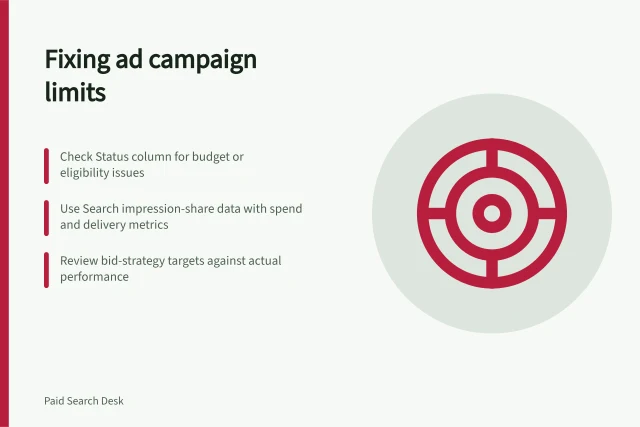
- Diagnosing a campaign limited by budget or eligibilityUse campaign, bid-strategy, ad and keyword statuses with Search impression-share metrics to find the cause of limited delivery.
- Evaluating bid changes after allowing for conversion lagUse historical conversion delay and comparable mature periods to assess Google Ads Search bid changes without treating pending outcomes as final.