Shopping
Shopping campaign operations
A practical framework for managing Shopping product data, inventory selection, disapprovals and margin-aware reporting.
Shopping campaign operations are recurring checks that keep advertised products eligible, offers accurate and spend commercially useful. For an Australian retailer, the sequence is dependable Merchant Center data, suitable inventory selection, eligibility fixes, then advertising cost compared with sales outcomes.
Keep product offers accurate
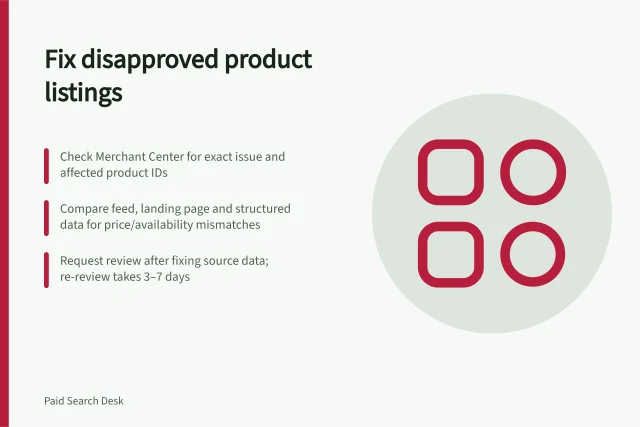
Check current Google Ads Help requirements for Shopping ads and the Merchant Center product data specification. Use the Merchant Center issues page to find product data problems, then correct the source record rather than a campaign-side workaround. Record what needs fixing and who owns it.
Select inventory for a commercial reason
Start with products that can be fulfilled and have dependable cost information. Selling price alone says little about what the business can afford to spend acquiring an order. Consider product cost, discounts, fulfilment, likely returns, demand and stock constraints.
Use simple grouping that reflects commercial priorities, such as bestsellers, sustained-demand lines or clearance stock. Review products left outside those groups and decide whether to exclude them, keep them visible or move them to a different campaign structure.
Review eligibility and results together
| Review | Question | Response |
|---|---|---|
| Product status | Which products have an issue, and what is its stated cause? | Fix the data, page, account setting or policy issue. |
| Offer accuracy | Do price, availability and shipping still reflect the offer? | Correct the source and refresh product data. |
| Inventory selection | Are promoted products available and commercially suitable? | Revisit labels and exclusions. |
| Sales outcome | What did the advertising cost relative to attributed orders? | Compare spend with a consistent contribution measure. |
Use the Google Ads Help guidance on the Products tab and the Merchant Center issues page as references. Check whether an issue affects one product or many before deciding on a fix. Low impressions alone do not establish that a bid is too low.
Treat budget and spend as recurring checks: confirm campaigns are pacing as intended, review spend against commercial priorities, and adjust budgets or bids when conversion volume, cost per conversion and commercial value justify a change.
Interpret product reporting carefully
Product reporting helps show which advertised products are generating activity. Before relying on reported sales, check the Google Ads Help pages on conversions with cart data and the metrics available with conversions with cart data, and reconcile reported sales with the business’s own records.
Use product reporting for recurring decisions: identify products that need data fixes, stock checks or bid changes. Treat reported revenue as a directional measure, not as a complete measure of business profit. Record reporting gaps, assign owners for catalogue and issue fixes, and note the date and reason for material campaign changes.
Key Metrics for Evaluating Shopping Campaign Performance
- Attributed Orders
- Measure from Google Ads with cart data enabled
- Cost Per Conversion
- Compare against business margins and ABN/GST-inclusive costs
- Spend vs. Revenue (Directional)
- Use as a guide, not final profit—reconcile with internal accounting
- Impressions & Clicks
- Do not assume low impressions = low bid—check eligibility first
In this guide
- Preparing a product feed for paid shopping trafficPrepare a Shopping feed with stable product IDs, accurate offers, Australian shipping details and a practical upload check.
- Grouping products by commercial valueCreate useful Shopping product groups from contribution, stock and sales evidence, then apply them through product attributes.
- Diagnosing disapproved product listingsTrace a Merchant Center disapproval to the affected item, data source, product page or account setting before requesting review.
- Comparing shopping spend with product-level marginCompare Shopping ad cost with product and basket contribution while accounting for cart-data limits and advertised-versus-sold views.