Keyword Research
Paid search keyword research
Build a paid search keyword shortlist around customer needs, offer fit and likely query meanings. Use Planner estimates and reported searches with care.
Begin paid search keyword research with the offer: what the business sells, who it serves and where it can fulfil a request. Gather phrases people might search and check what each could mean. Keep only those for which the business has a suitable offer and page. Search volume can help size an opportunity; it cannot tell you whether a searcher will become a customer.
Define the offer
Record the product or service, service area, eligibility conditions and the visitor action you want. Draw candidate wording from product descriptions, customer enquiries and sales conversations. Include how people describe a problem or outcome, plus product names. Treat everything as a candidate until you check its meaning.
Build seeds from customer language
Look beyond product descriptions for wording in quote requests, inbox messages and staff questions. These touchpoints can reveal how people describe a problem, rather than the technical term a business uses for its service.
An electrician’s customers might say “power keeps tripping”, not “RCD fault diagnosis”. Record both kinds of wording as candidates so the research reflects how people express their needs.
Expand and assess the list
Use Google Ads Keyword Planner as one input alongside customer wording and search suggestions. Treat its output as a starting point, not a final list.
Review ideas in groups rather than accepting an export wholesale. For each phrase, record:
Research point / Hand-off note
- What might the searcher need?
- Does the offer answer the request?
- What else could the words mean?
- Is further checking needed?
- What page and next step would apply?
- Record these for hand-off.
Top 10 Tools for Local Keyword Research in Australia
- Google Ads Keyword PlannerFree tool for estimating search volume and competition; best used with local context.
- SearchScope Local SEO ToolsSpecialised for Australian markets; includes suburb-level keyword data and local ranking insights.
- AhrefsAdvanced keyword explorer with local SERP analysis and competitor gap detection.
- SemrushOffers keyword difficulty scores and local keyword clustering for Australian campaigns.
- Moz LocalHelps verify NAP consistency and track local search visibility across Australian directories.
- BrightLocalProvides local keyword tracking and performance reports tailored to Australian regions.
- Google Trends (Australia)Compare regional interest in terms like 'plumber Perth' vs 'plumber Brisbane'.
- AnswerThePublicVisualises common questions Australians ask around services like ‘electrician near me’.
- KeywordTool.ioGenerates long-tail keyword ideas based on Google autocomplete for Australian searches.
- UbersuggestSimple interface with local keyword suggestions and cost estimates for Australian advertisers.
Australian Paid Search Keyword Research Metrics
- Top Australian cities for local services
- Sydney, Melbourne, Brisbane, Perth, Adelaide
- Common local modifiers used
- 'near me', 'open now', 'after hours', 'emergency'
- Commercial intent phrases
- 'cost', 'price', 'quote', 'best', 'licensed', 'same day'
Add local and intent modifiers
For a local service, combine each service seed with the suburbs and regions the business serves, not just the city name. “Electrician Joondalup” and “electrician Perth” express different geographic searches.
Try proximity phrases such as “near me”, “open now”, “after hours” and “emergency” as candidates. Pair them with a service and a relevant location, such as “emergency plumber Scarborough”.
Add commercial modifiers customers may use, including “cost”, “price”, “quote” and “best”. Where they accurately describe the offer, test qualifiers such as “level 2 electrician”, “licensed” and “same day” too.
Use search suggestions as research signals
Enter a seed phrase into Google and note its autocomplete suggestions, the People Also Ask box and related searches at the bottom of the results. Add any new problem wording, local phrasing or intent modifier to the candidate list.
Group phrases by the need they express
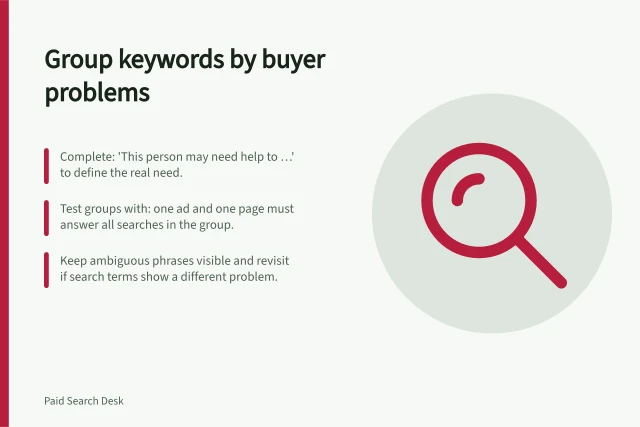
Group phrases when the same offer and page would answer them. Split them when the buyer needs a materially different response. For example, equipment sales, repairs and ongoing servicing may call for different answers even when searches share an equipment name.
Mark each candidate offer-fit confirmed, hold for clarification or exclude from this offer, with a reason. A hold keeps an ambiguous phrase visible without treating it as ready for hand-off. If the answer stays the same, do not create a separate group for every wording variation.
Check possible query meanings
Do not assess a candidate solely by its wording. Research plausible interpretations and keep promising and unwanted ones visible; the campaign plan can decide how to handle them.
Expand promising phrases into plausible full searches. Consider buying, learning, repair, employment and other meanings relevant to the offer. Check whether the proposed page would answer each request. Keep a potentially useful meaning for another offer separate from one that is irrelevant to the business.
Hand off a usable shortlist
For each selected phrase, record the likely need, intended offer and page, service eligibility, possible unwanted meanings, Planner settings and estimate date. Leave uncertainty visible. Resolve a missing page or an offer the business cannot fulfil before calling a phrase launch-ready.
After launch, revise the shortlist as your expectations and the resulting enquiries or orders become available.
Pre-Launch Checklist for Paid Search Keywords in Australia
- Offer-fit confirmed?Yes – the business can deliver what the keyword implies.
- Correct landing page assigned?Yes – matches the searcher’s likely need and is optimised for conversions.
- Service eligibility defined?Yes – includes location, ABN, GST status, or other relevant conditions.
- Unwanted meanings identified?Yes – flagged so they don’t trigger irrelevant traffic.
- Planner estimate date recorded?Yes – for tracking campaign performance over time.
In this guide
- Grouping keywords by the problem a buyer wants solvedGroup paid search keywords by the buyer's problem, the answer your offer provides and the next step. Keep ambiguous phrases visible for review.
- Separating research queries from purchase-ready searchesRead the task behind a search, choose a useful response and avoid mistaking search volume or a single word for purchase intent.