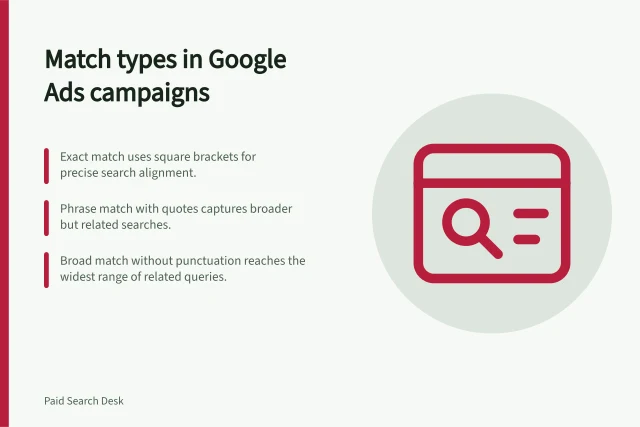
Match Types
Part of Seasonal paid search planning
Adjusting ad messages when an offer expires
Set the offer cutoff, replace stale Search ad claims and check promotion assets, landing pages and scheduled changes.
When an offer expires, pause or replace every active ad claim that depends on it, and make the destination page reflect what customers can still obtain.
A change to one promotional element does not by itself update every other place where the old deal appears.
Establish the actual cut-off
Confirm the final eligible order or booking time, applicable time zone, participating products and locations, and offer conditions. Ask when the website and checkout will change.
An offer ending at midday needs a midday response: review any campaign start or end date settings that may apply.
Prepare the next valid message before the cut-off. It may be an ordinary product or service message without a discount, or another verified offer. Check its price, availability and conditions.
The ACCC says it can require businesses to back up claims about their products or services.
Key timing actions for offer expiry
- Confirm final eligible order/booking time and applicable time zoneMidday (local time)
- Review campaign start/end date settingsEnsure alignment with actual cut-off
- Prepare next valid message (e.g. standard product message or new offer)Verify price, availability and conditions
- ACCC compliance: ensure claims are backed by evidenceRequired under Australian consumer law
Compliance and operational facts from Australian sources
- ACCC enforcement power
- Can require businesses to back up claims
- Google Ads policy on promotions
- Must reflect current offer conditions
- Australian consumer law requirement
- Advertising must not be false or misleading
Find every active version of the promise
Search active ads and assets for the old discount, code, deadline and sale wording. Review active promotion assets and the pages they lead to.
Check any automated text or other active route that could still show the claim. A countdown reaching zero does not establish that all promotional wording has stopped serving.
| Place | Expiry action |
|---|---|
| Headline or description | Pause or replace the expired claim. |
| Promotion asset | Review it and remove an old asset if needed. |
| Landing page and checkout | Confirm the current offer, price and conditions. |
| Dedicated event campaign | Confirm its end setting or pause it at the agreed cut-off. |
Treat promotion assets as separate from headlines, descriptions and website copy: changing one does not change the others.
Verify the change at the cut-off
For a hard cut-off, assign someone to check the serving state at the cut-off and pause any stale claim directly. If you use automated rules, check their status and log afterwards.
Follow the intended customer path from an eligible location and device: displayed message, destination, offer selection, and checkout or enquiry step. If the deal has ended while an ad still promises it, pause that claim while correcting the mismatch.
Keep a record of the offer terms, planned cut-off, actual ad and page change times, and who checked them.
Pros and cons of automated vs manual verification at cutoff
- Automated rules: Pros
- Efficient, consistent execution across campaigns; reduces human error
- Automated rules: Cons
- May fail if logic is flawed; requires regular monitoring and testing
- Manual verification: Pros
- Allows real-time response to unexpected issues; ensures context-aware decisions
- Manual verification: Cons
- Time-intensive; risk of oversight if not assigned properly